 russ
russ2023
2023-1-3
批量删除本地分支
bash
git branch | grep "feature/jing" | xargs git branch -D批量删除远程分支
bash
git branch -r | grep 'cluster_manage' | sed 's/origin\///g' | xargs -I {} git push origin :{}2023-1-12
husky 新版差异
.husky 4.x 版本之前支持在 package.json 中配置
.husky 4.x 版本之后不支持在 package.json 中配置了,新版操作如下:
- 需要在 scripts 标签中加入如下命令:
json
"scripts": {
    "prepare": "husky install",
},- 然后执行下这个脚本
bash
pnpm prepare- 执行完会在根目录下生成一个 .husky 文件夹
- 之后就是你需要添加什么钩子函数自己加就行,比如:
bash
pnpm husky add .husky/commit-msg 'pnpm commitlint --edit "$1"'2023-2-20
git 配置别名
bash
git config --global alias.co checkout
git config --global alias.br branch
git config --global alias.ci commit
git config --global alias.st statusgit 查看别名
bash
git config --list | grep alias2023-3-1
- 打开新页面
js
/**
 * 打开新页面
 * @param {String} url
 */
export function openNewPage(url) {
  const link = document.createElement('a');
  link.setAttribute('href', url);
  link.setAttribute('target', '_blank');
  link.style.display = 'none';
  // 触发点击
  document.body.appendChild(link);
  link.click();
  // 然后移除
  document.body.removeChild(link);
}2023-3-8
reactive 定义的数组响应式失效问题?
2023-3-11
MySQL 忘记 root 密码怎么修改
2023-3-23
给终端设置代理
bash
export https_proxy=http://127.0.0.1:7890 http_proxy=http://127.0.0.1:7890 all_proxy=socks5://127.0.0.1:7890跑 flutter 项目遇到的问题
brew install cocoapods问题,只能硬装试了好多次,后面发现可能是终端网络有问题。装完
cocoapods之后,进到 ios 目录下,执行pod install 报错
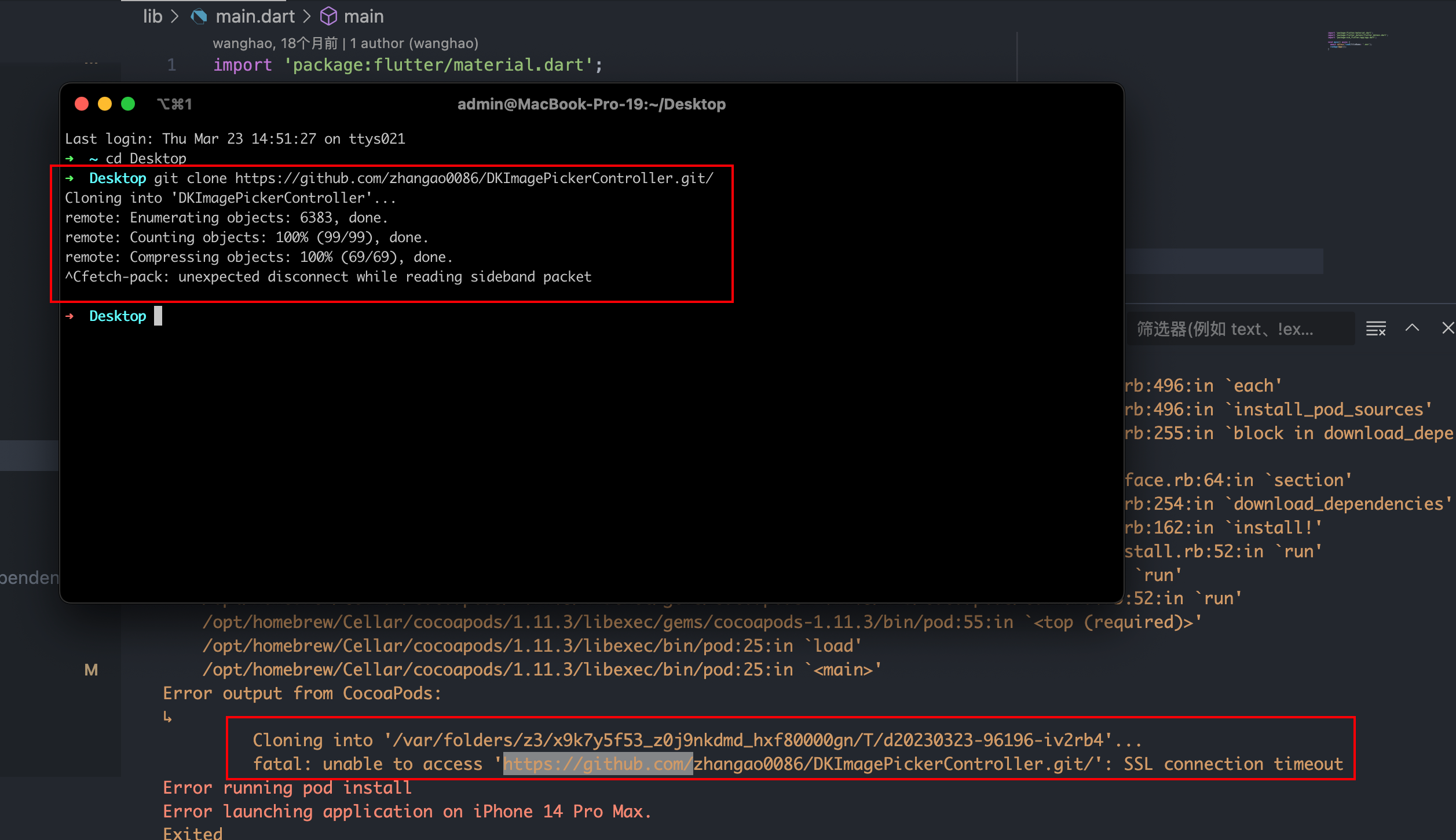
- 看着是访问不了 github 但是终端又能拉代码,真的奇怪。最后请教了 皓哥 说可能是网络的问题,先在终端设置网络代理,如下:,这样可以让终端走我们的 vpn 代理。
bash
export https_proxy=http://127.0.0.1:7890 http_proxy=http://127.0.0.1:7890 all_proxy=socks5://127.0.0.1:7890- 设置完还是报错,还需要在
Podfile文件最顶部加一行设置【设置装包的源,我猜的】,最后再执行pod install就能把包装好了。
js
source 'https://github.com/CocoaPods/Specs.git'- pod 终端出现这个 [!] CocoaPods did not set the base configuration of your project because your project already has a custom config set. In order for CocoaPods integration to work at all, please either set the base configurations of the target
RunnertoTarget Support Files/Pods-Runner/Pods-Runner.profile.xcconfigor include theTarget Support Files/Pods-Runner/Pods-Runner.profile.xcconfigin your build configuration (Flutter/Release.xcconfig). 提示代表啥意思?
js
这个提示意味着 CocoaPods 没有设置您的项目的基本配置,因为您的项目已经有了自定义配置。这可能会导致 CocoaPods 集成无法正常工作。解决这个问题的方法有两种:

1. 将 `Target Support Files/Pods-Runner/Pods-Runner.profile.xcconfig` 设置为 `Runner` 目标的基本配置。您可以通过打开 Xcode,选择 `Runner` 目标,然后选择 `Build Settings` 标签,在 `User-Defined` 部分中找到 `COCOAPODS_PARALLEL_CODE_SIGN` 和 `OTHER_LDFLAGS` 等选项,将它们设置为 `$(inherited)`。
2. 将 `Target Support Files/Pods-Runner/Pods-Runner.profile.xcconfig` 包含在您的构建配置中。您可以在 `Flutter/Release.xcconfig` 文件中添加以下内容:`#include "Target Support Files/Pods-Runner/Pods-Runner.profile.xcconfig"`。

完成其中一种解决方法后,再次运行 `pod install`,然后重新构建您的项目即可。2023-4-20
前端自己实现下载文件
- 使用 Blob 对象和 URL.createObjectURL()方法:将内容创建成 Blob 对象,然后使用 URL.createObjectURL()方法生成一个下载链接。例如:
js
handleDownload(row) {
    var contents = row.fileContent;
    var blob = new Blob([contents], { type: 'text/plain' });
    var link = document.createElement('a');
    link.href = URL.createObjectURL(blob);
    link.download = 'example.txt';
    link.style.display = 'none';
    // 触发点击
    document.body.appendChild(link);
    link.click();
    // 然后移除
    document.body.removeChild(link);
},2023-5-11
CSS3 四个自适应关键字
CSS3 四个自适应关键字——fill-available、max-content、min-content、fit-content
2023-5-26
git bisect
利用好 git bisect 这把利器,帮助你快速定位疑难 bug
2023-7-21
elementui tree 查询数据过滤显示当前节点的全部 children 子节点
js
filterNode(value, data, node) {
    console.log(value, data, node, 'value, data, node');
    return this.filterNodeAndParent(value, data, node);
},

// 递归检测父元素或自己是否符合条件
filterNodeAndParent(value, data, node) {
  if (node.level === 1) {
      return node.data.catName.toLocaleLowerCase().indexOf(value.toLocaleLowerCase()) !== -1;
  } else if (data.level !== 1) {
    // 判断自己是否符合条件
    if (node.data.catName.toLocaleLowerCase().indexOf(value.toLocaleLowerCase()) !== -1) {
      return true;
    } else {
      // 否则查找父级
      return this.filterNodeAndParent(value, node.data, node.parent);
    }
  }
},2023-8-21
git 提交文件名大小写的修改提交不上去
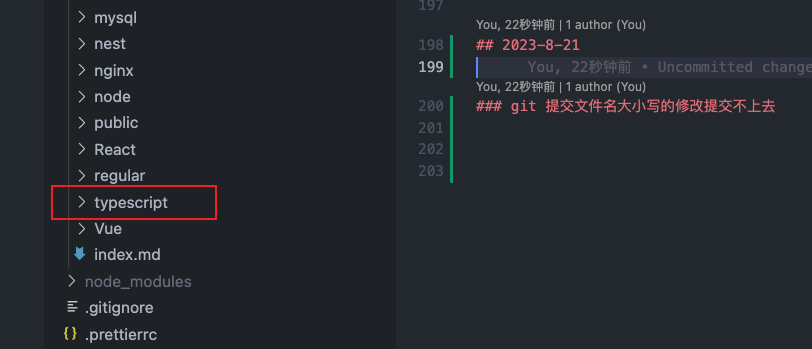
- 本地修改过文件夹名称,把大写的 T S 改成了小写的 t s 如下图:
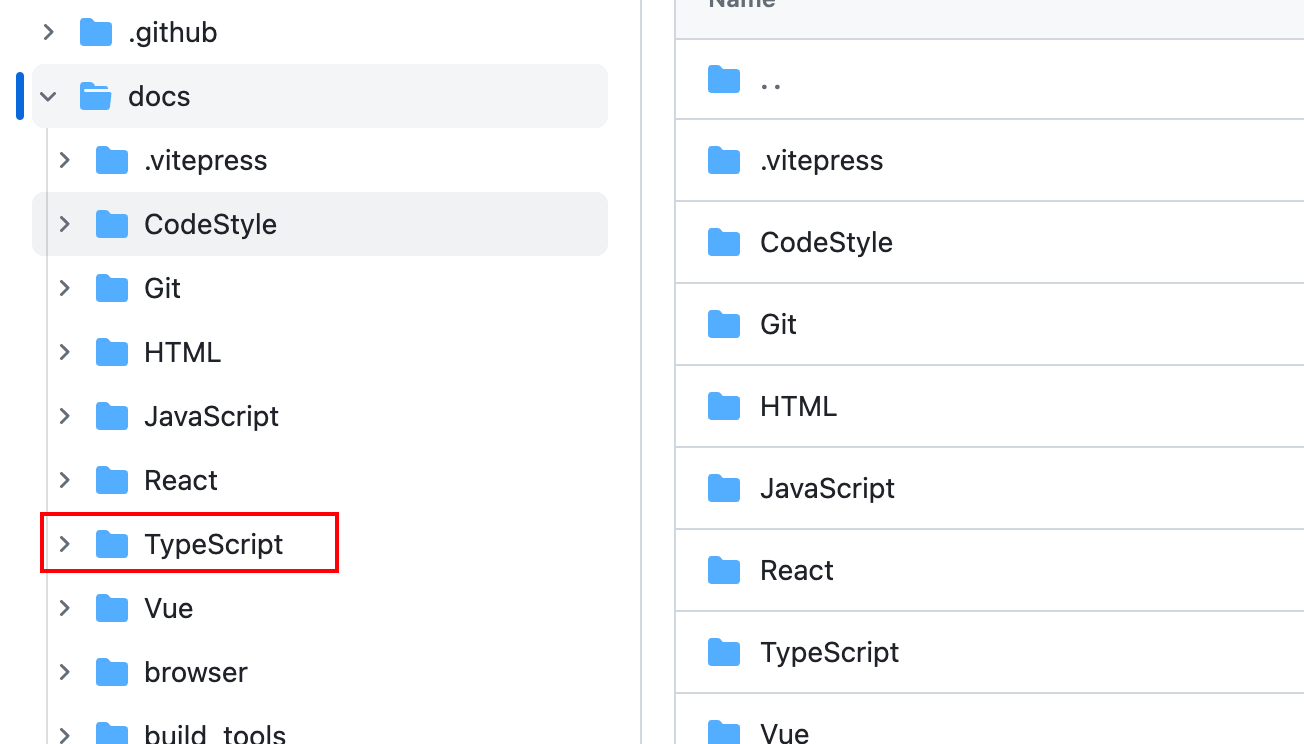
- 远程的文件夹名称还是大写的 T
- 这样就会导致我的 vitepress 构建出来的文档,访问不到这个文件夹 404,因为文件夹名称不一致了。
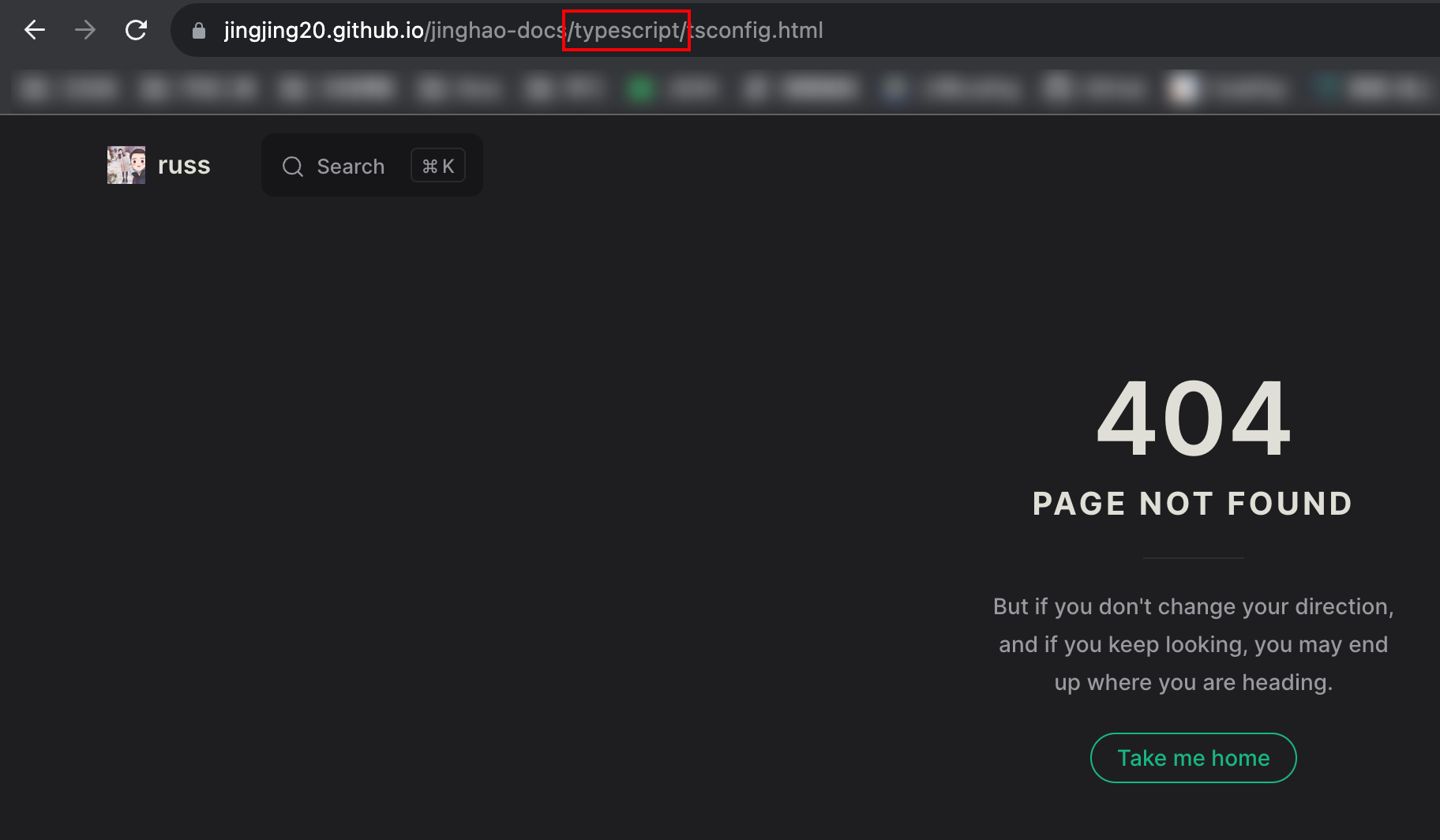
- 改一下路径就可以访问到了

我们需要把修改文件夹这个操作提交到远程。
文件重命名命令
bash
git mv test.txt TEST.txt // 将 test.txt 重命名为 TEST.txt- 但是如果重命名文件夹,直接使用上述命令会报错
- 可以先改成另一个文件夹名称,再改回来。